Ticket System
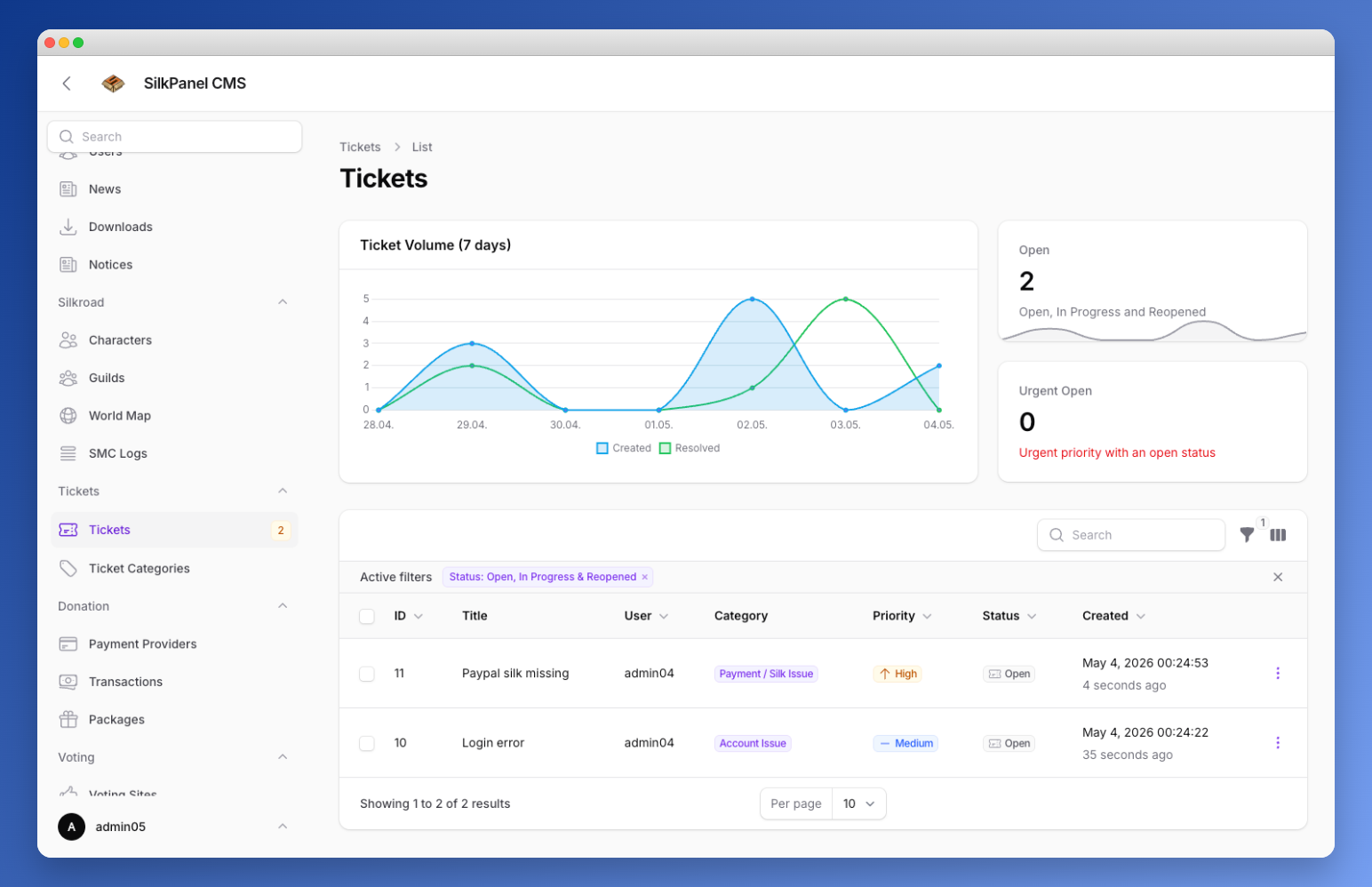
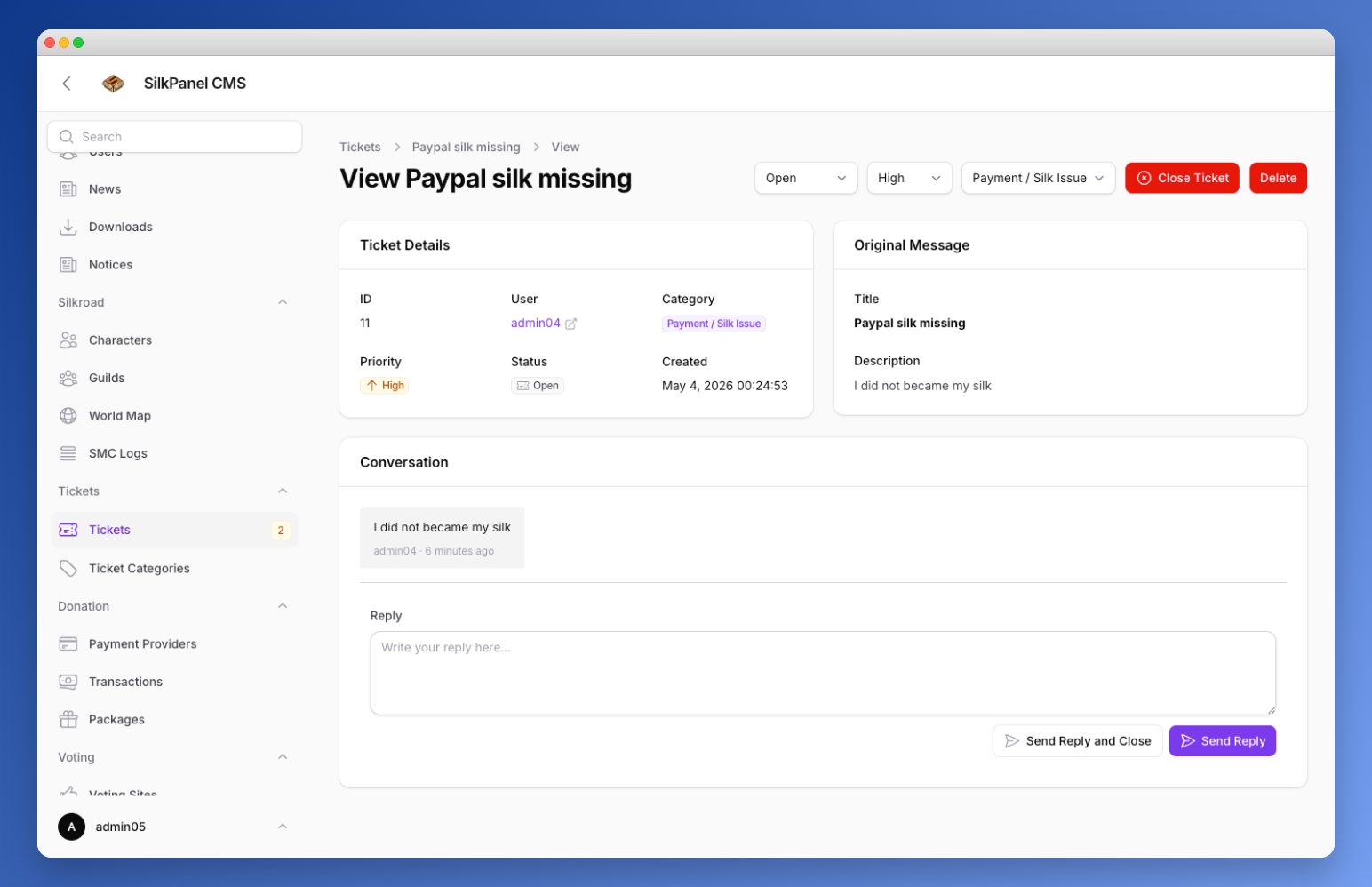
Allow users to submit support tickets directly from the website. This feature provides a convenient way for players to reach out for assistance and helps streamline support requests.
Benefits of the Ticket System
- Centralized Support: All support requests are organized in one place, making it easier for your support team to manage and respond to tickets.
- Improved Communication: Players can easily communicate their issues, and support staff can provide timely responses, enhancing the overall player experience.
- Efficient Issue Resolution: With a structured ticketing system, support staff can prioritize and resolve issues more efficiently, leading to faster resolutions and increased player satisfaction
Setup Instructions
To set up the ticket system, follow these steps:
php artisan migrate
php artisan db:seed --class="SilkPanel\TicketSystem\Database\Seeders\TicketCategorySeeder"
Enable it in the settings under „Page Settings“ by toggling the „Enable/Disable ticket system“ option. Once enabled, players will be able to access the ticket submission form from the frontend of your website. More information about the page settings can be found in the Page Settings documentation.
Categories
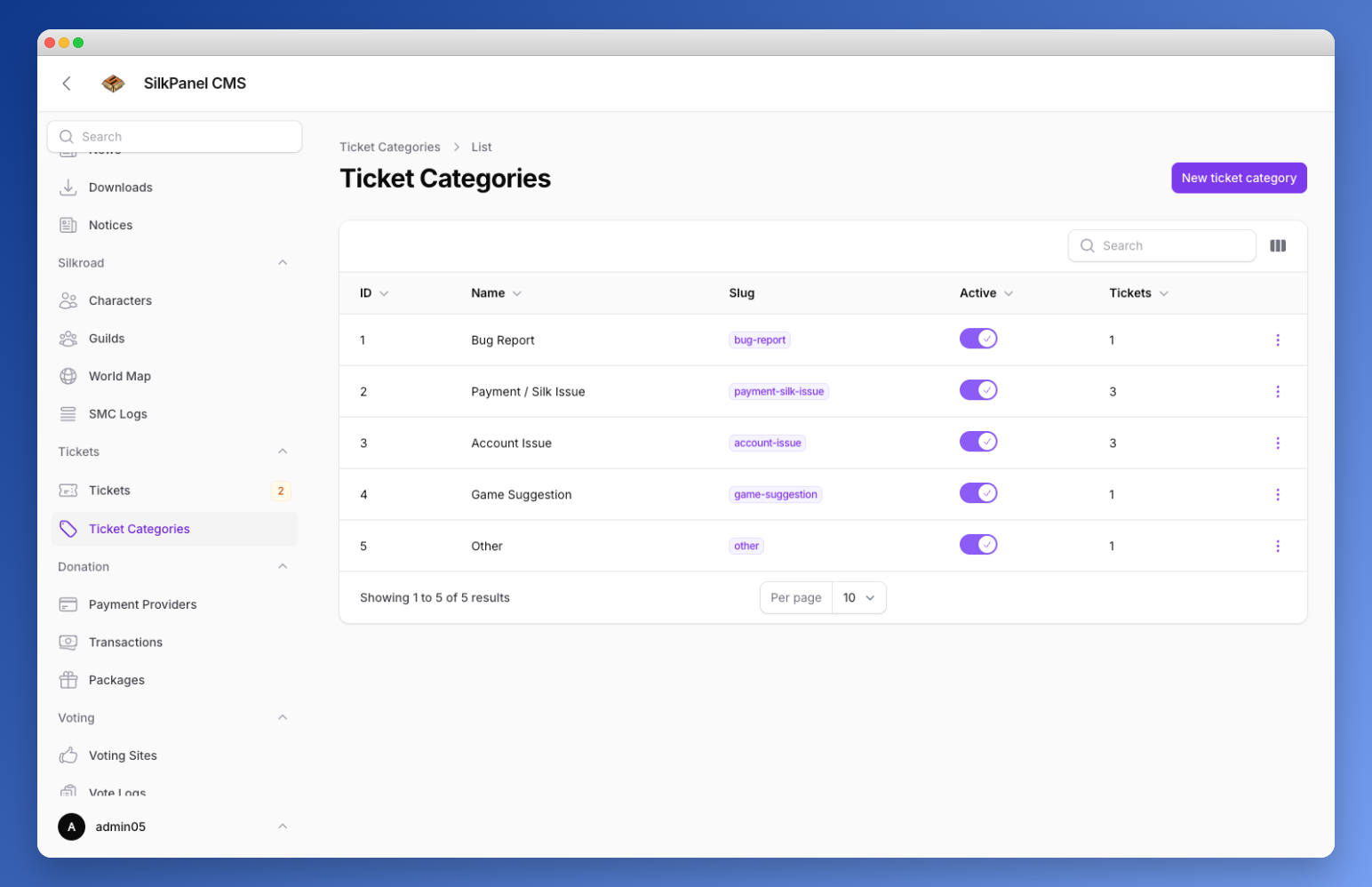
The seeded ticket categories are:
- Bug Report
- Payment/Silk Issue
- Account Issue
- Game Suggestion
- Other
You can manage these categories in the admin panel and create new ones as needed.
Ticket Configuration (Optional)
If you want to change the config you can run following command in your terminal:
php artisan vendor:publishsearch for SilkPanel\TicketSystem\TicketSystemServiceProvider and publish the config. This will create a ticket.php file in your config directory where you can customize the ticket system settings according to your needs.
/*
|--------------------------------------------------------------------------
| Ticket System Enabled
|--------------------------------------------------------------------------
| When set to false, the frontend ticket section will be unavailable.
| Existing tickets are still visible to admins in Filament.
| This can also be toggled at runtime via the "is_ticket_system_enabled"
| key in the settings table.
*/
'enabled' => env('TICKET_SYSTEM_ENABLED', true),

/*
|--------------------------------------------------------------------------
| Maximum Attachment Size (KB)
|--------------------------------------------------------------------------
| The maximum file size (in kilobytes) for uploaded image attachments.
| Default: 5120 KB = 5 MB
*/
'max_attachment_size_kb' => env('TICKET_ATTACHMENT_MAX_KB', 5120),

/*
|--------------------------------------------------------------------------
| Maximum Number of Attachments per Upload
|--------------------------------------------------------------------------
*/
'max_attachments' => env('TICKET_MAX_ATTACHMENTS', 5),