Custom Procedures
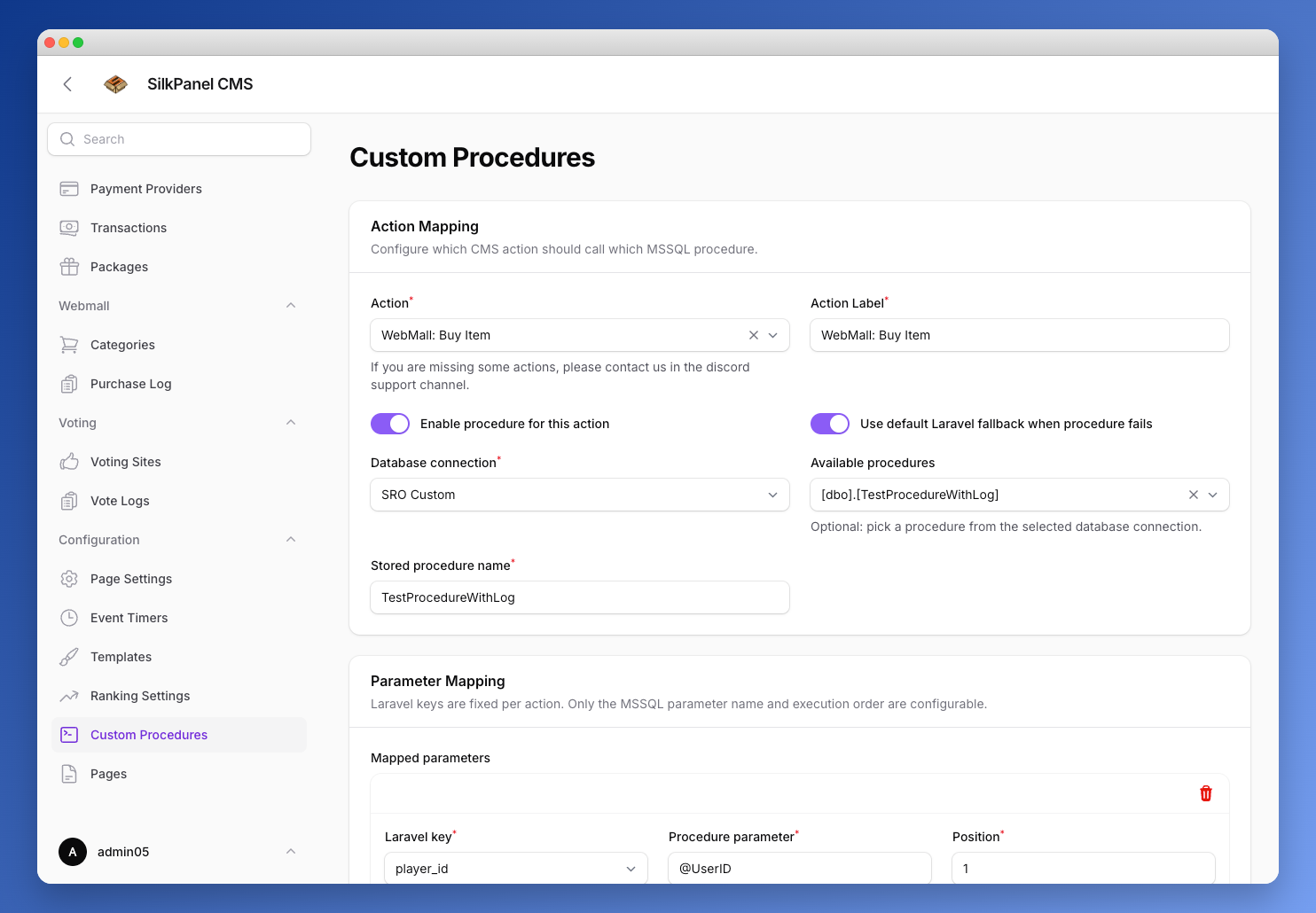
Enable execution of custom MSSQL procedures for supported CMS actions. This allows for advanced customization and integration with the Silkroad Online database.
Action Mapping
Configure which CMS action should call which MSSQL procedure. Each mapping consists of:
- Action — the CMS action to hook into (e.g.
WebMall: Buy Item). If an action is missing, contact support via the Discord support channel. If you'd like a new action to be added, feel free to suggest it in the Discord suggestions channel. - Action Label — a custom label for the mapping
- Enable procedure for this action — toggle to activate the mapping
- Use default Laravel fallback when procedure fails — falls back to the built-in Laravel logic on failure
- Database connection — choose from:
SRO Shard,SRO Account,SRO Log,SRO Custom,SRO Portal,MySQL - Available procedures — lists stored procedures found in the selected database connection (optional helper to pick one)
- Stored procedure name — the exact name of the procedure to call
Parameter Mapping
Laravel keys are fixed per action. Only the MSSQL parameter name and execution order are configurable.
Mapped parameters — map a fixed Laravel key to a procedure parameter:
- Laravel key — choose from the available keys for the action (e.g.
player_id,character_id,item_id,price_type,price_amount) - Procedure parameter — the matching MSSQL parameter name
- Position — execution order of the parameter
Additional Parameters (Optional) — add extra payload keys for procedures that require more inputs than the fixed action keys:
- Payload key — the extra key from the runtime payload
- Procedure parameter — the matching MSSQL parameter name
- Position — execution order of the parameter
- Default value (optional) — used when the key is missing at runtime
Procedure Preview
Displays the detected signature and a SQL preview of the selected procedure from the chosen database connection.
Testing
Run the configured procedure with test values directly from the form before saving.
Execution Log
Each mapping page shows a log table of past executions with the following columns:
| Column | Description |
|---|---|
| Action | The CMS action that triggered the call |
| Procedure | The stored procedure that was executed |
| Connection | The database connection used |
| Status | Success or Failed |
| Fallback | Whether the Laravel fallback was used |
| Error | Error message if the execution failed |
| Executed | Timestamp of the execution |