Player Web Market
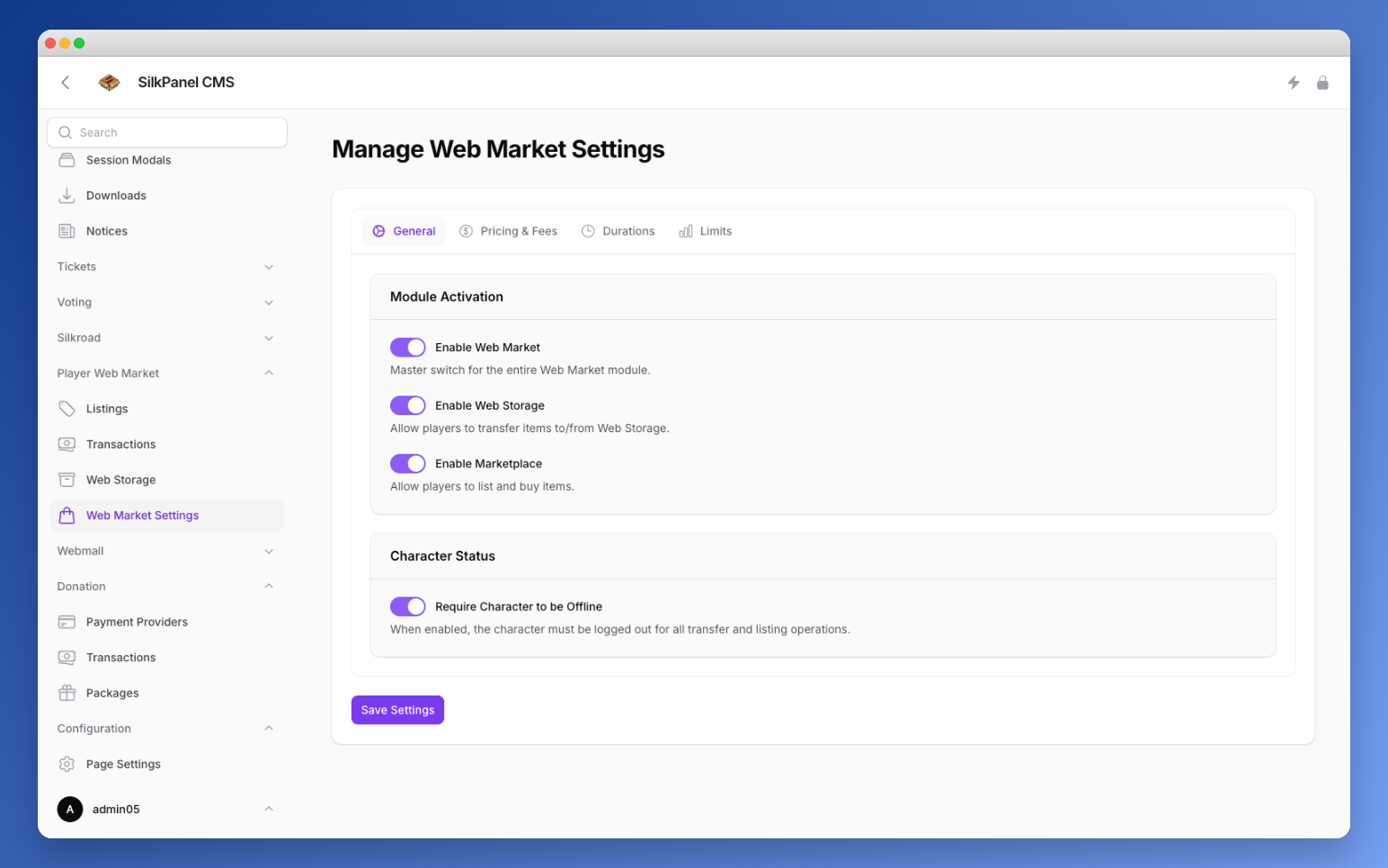
The Player Web Market lets players trade game items through a web-based marketplace. Players can transfer items to web storage and list them for sale — all manageable from the admin backend.
Web Market Settings
Configure the marketplace under Web Market Settings. Settings are grouped into four tabs:
General
Control which parts of the Web Market module are active:
| Setting | Description |
|---|---|
| Enable Web Market | Master switch for the entire Web Market module. |
| Enable Web Storage | Allow players to transfer items to/from Web Storage. |
| Enable Marketplace | Allow players to list and buy items. |
Character Status
| Setting | Description |
|---|---|
| Require Character to be Offline | When enabled, the character must be logged out for all transfer and listing operations. |
Pricing & Fees
Configure pricing rules and fee percentages applied to marketplace transactions.
Durations
Set listing duration options available to players when creating marketplace listings.
Limits
Define limits for storage capacity and marketplace listing counts.
Web Storage
The Web Storage section shows all items currently held in web storage. Each entry displays the item and its origin — where it was transferred from.
Transactions
The Transactions section provides a full history of all completed marketplace purchases and sales. Each transaction shows:
| Column | Description |
|---|---|
| Item | The traded item. |
| Plus Value | Enhancement level of the item, if applicable. |
| Price | The sale price. |
| Fee | The marketplace fee deducted from the transaction. |
Listings
The Listings section displays all currently active marketplace listings. Each listing shows who created it, the expiration date, and the asking price.
Process Expired Listings
Use the Process Expired Listings button to return all expired listing items back to their owners' web storage.