Page Settings
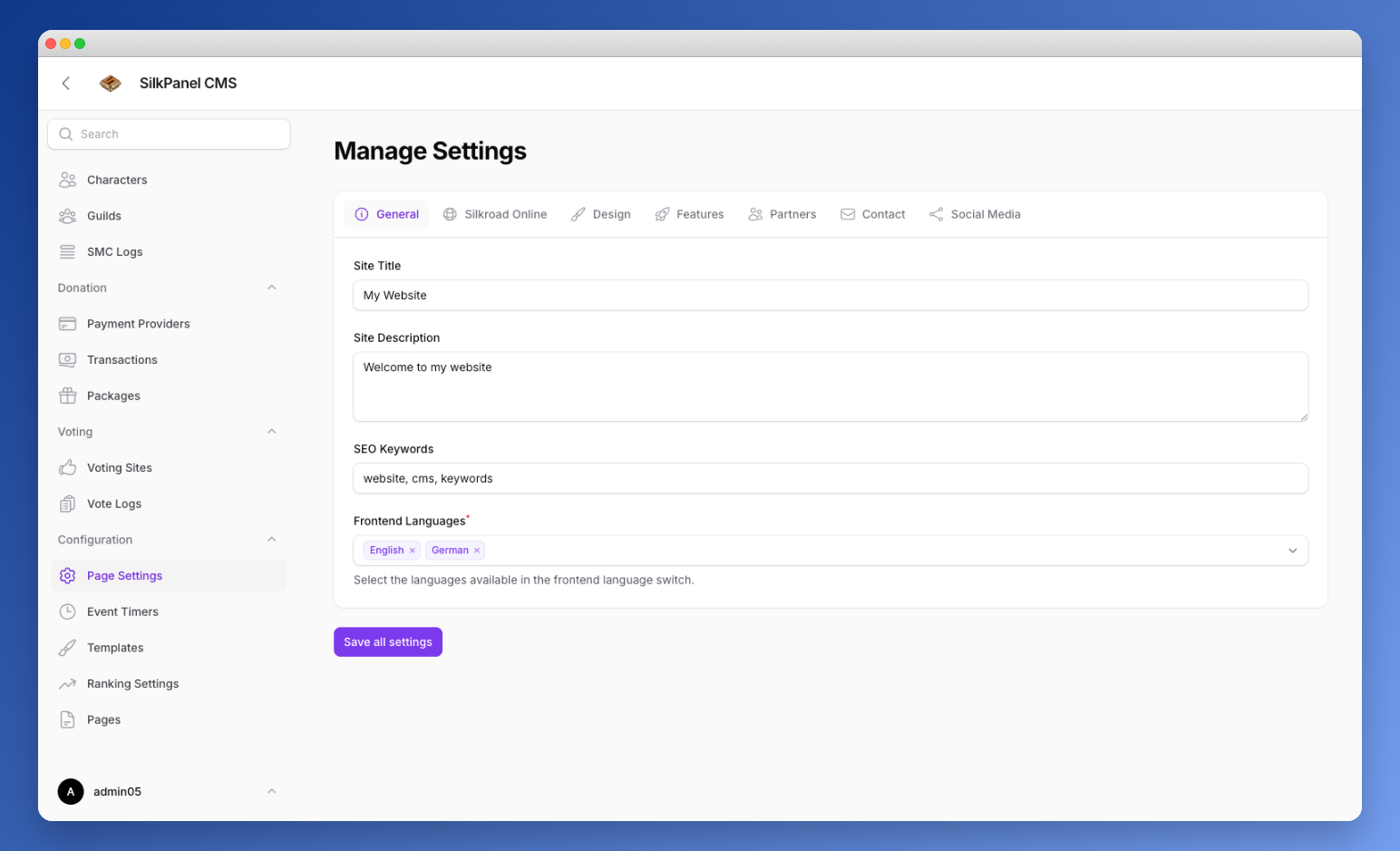
Centralized settings panel organized in tabs.
General
- Site title, description, and keywords
- Frontend language selection (multi-language support)
Silkroad Online
- Internal Shard ID (Unique identifier of the gameShardID (e.g. VSRO 64, ISRO 323))
- General Settings: Max players, level cap
- Rates: EXP/SP, Party EXP, Gold drop, Item drop, Trade rate
- Game: Race selection (China, Europe), Fortress War config (Bandit, Hotan, Jangan)
- Limits: HWID limit, IP limit per account
Design
- Logo upload
- Favicon upload (512×512)
- Background image
Features
- Registration open/closed toggle
- Email verification requirement
- -> (Require users to verify their email address after registration. Hint: when toggle back on after being disabled, all existing users will be treated as if they have verified their email, so they will not be forced to verify their email until they change their email or password.)
- Maintenance mode with custom message
- Enable Terms of Service
- -> (Require users to accept the Terms of Service during registration.)
- Login with username
- -> (Allows uers to log in with their username)
- Enable Webmall
- -> (Enable the Webmall where players can purchase items with Silk or Gold.)
- Enable Custom Procedures
- -> (Enable execution of custom MSSQL procedures for supported CMS actions. This allows for advanced customization and integration with the Silkroad Online database.)
- Enable Unique Tracking
- -> (Show the public Unique Tracker history page (/history/uniques) with the latest unique monster kills and spawns. Only available on iSRO.)
- Enable Global History
- -> (Show the public Global History page (/history/globals) with the latest global (yell) chat messages. Only available on iSRO.)
- Require Characters to be Logged Out
- -> (If enabled, characters must be offline before they can purchase items from the Webmall. This prevents potential issues when items are delivered to online characters.)
Fake Players
Adds a stable, randomised offset on top of the real online player count shown publicly. The real count stored on the server is never changed.
- Enable fake player count — toggle the feature on or off.
- Refresh interval (minutes) — how long a generated fake value stays stable before a new one is picked (default: 5).
- Range rules — map real player count ranges to a fake offset range. Each rule has:
- Real min / Real max — the real online range the rule applies to.
- Fake min / Fake max — the range a fake value is picked from when the rule matches.
Rules are evaluated top to bottom and the first matching range is used. Real ranges must not overlap. Use Add to range rules to create additional rules, and the arrows to reorder them.
TIP
Example: Real 0–20 → Fake 10–20 and Real 21–50 → Fake 25–50. With 15 real players online, a stable fake value between 10 and 20 is shown publicly.
Partners
- Customize your backlinks (Partners) with the name, website, description and a logo
Referral
- Allow players to invite others and earn Silk rewards when the referred player reaches the required character level.
- Minimum Character Level
- Silk Reward per Referral
- Silk Type
Contact
- Phone
- Address
World Map
- Activated Worldmap + Api route in frontend
- Maximum characters shown on the map
- Excluded characters from the map
You are able to exclude characters from the world map by adding their names to the „Excluded characters from the map“ field. This is useful for hiding certain characters from being displayed on the map, such as Game Masters or special event characters.
TIP
Note: Characters in job mode are automatically excluded from the world map, so you don't need to add them manually to the exclusion list.
Missing Item Images
Upload replacement images for items that are missing from the default icon set. Private servers with custom items can add their own item icons here.
- Codename (Full path (e.g. item/china/weapon/bow_08) or just the filename (e.g. clothes_10_ha). Basename-only entries match any item with that filename.)
- Image (Upload a PNG image (max 2 MB))
Social Media
- Facebook url
- X url
- Instagram url
- Discord (url)
- Discord ID (for viewing your discord widget in the frontend)
Ticket System
- Enable/Disable ticket system
Allow users to submit support tickets directly from the website. This feature provides a convenient way for players to reach out for assistance and helps streamline support requests. More information about the ticket system can be found in the Ticket System documentation.