Characters
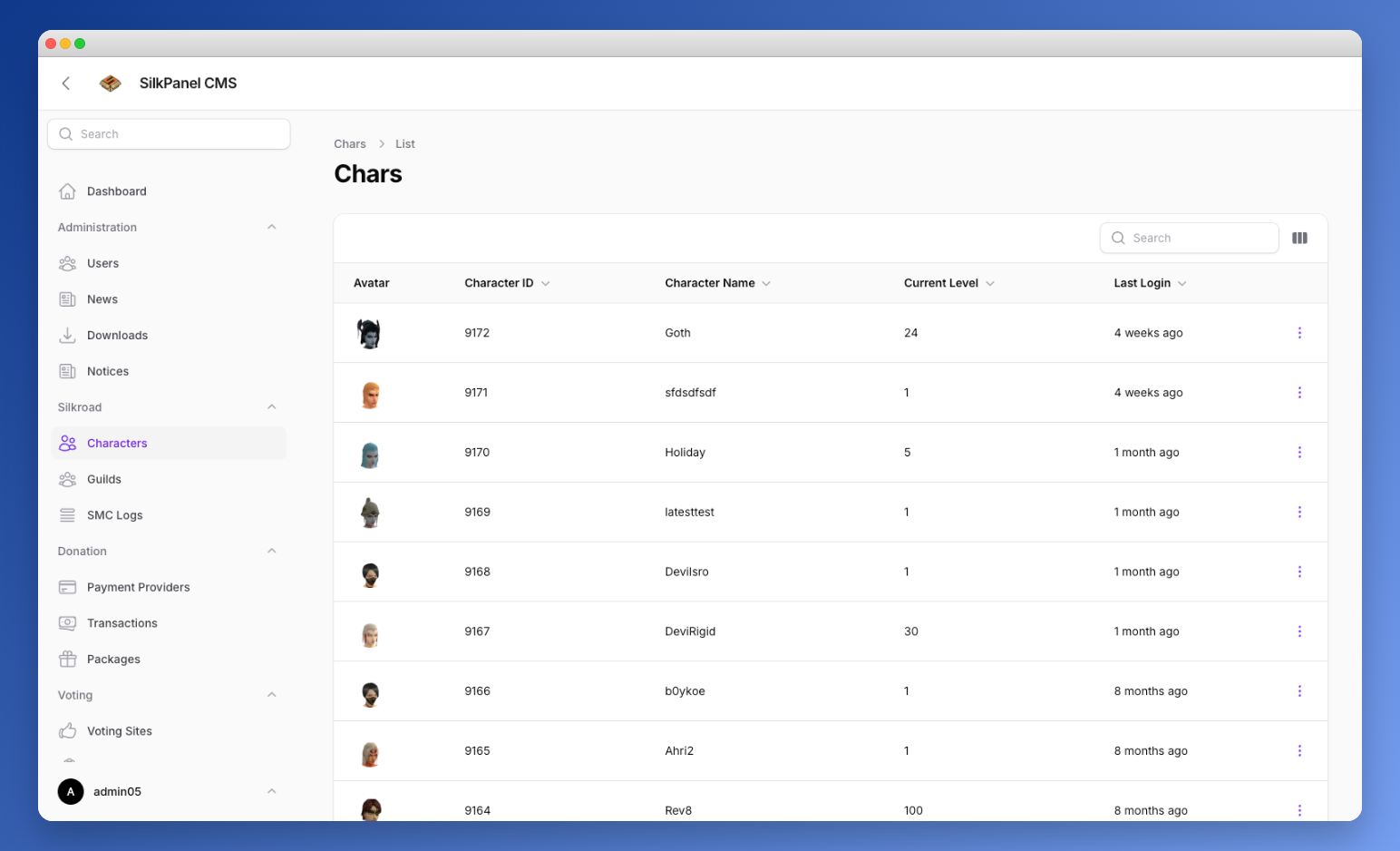
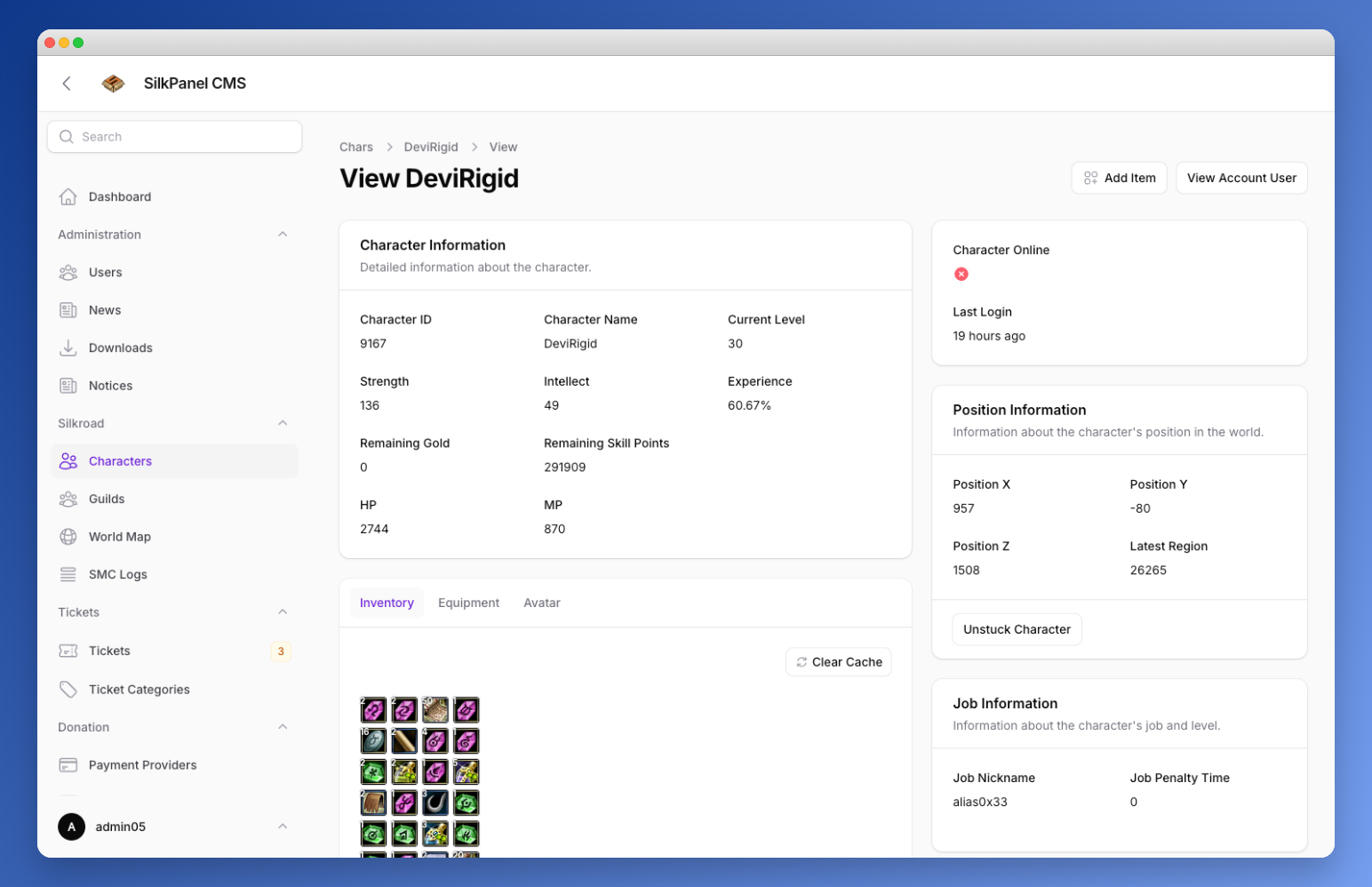
Browse in-game character data pulled live from the Silkroad shard database.
- View character details: name, level, class, guild
- Character avatar rendering
- Read-only game data inspection
You can add items directly to the character by clicking the „Add Item“ button. This will open a modal. This feature allows you to manage character inventories directly from the admin panel, making it easier to assist players with item-related issues or rewards.
At the bottom, when you click on items from the inventory you can delete those items. This is useful for removing unwanted or problematic items from a character's inventory. Please use this feature with caution, as it will permanently delete the item from the character.
TIP
If the „Add Item“ does not work, you need to run the db:seed command to seed the required item data into the database:
php artisan db:seedYou will see something like this in the termial output:
Database\Seeders\SmcDelItemSilkpanelVsroSeeder ....................... RUNNING
Procedure _SMC_DEL_ITEM_SILKPANEL_VSRO was successfully created/updated.
Database\Seeders\SmcDelItemSilkpanelVsroSeeder .................... 65 ms DONE

Database\Seeders\SmcDelItemSilkpanelIsroSeeder ....................... RUNNING
Procedure _SMC_DEL_ITEM_SILKPANEL_ISRO was successfully created/updated.
Database\Seeders\SmcDelItemSilkpanelIsroSeeder .................... 14 ms DONE

Database\Seeders\AddItemSilkpanelAutoVsroSeeder ...................... RUNNING
Procedure _ADD_ITEM_SILKPANEL_AUTO_VSRO was successfully created/updated.
Database\Seeders\AddItemSilkpanelAutoVsroSeeder ................... 12 ms DONE

Database\Seeders\AddItemSilkpanelAutoIsroSeeder ...................... RUNNING
Procedure _ADD_ITEM_SILKPANEL_AUTO_ISRO was successfully created/updated.
Database\Seeders\AddItemSilkpanelAutoIsroSeeder ................... 16 ms DONE